
Option 1: Search by Asset
- In the search bar, search “Find Asset.”
- Select the report.
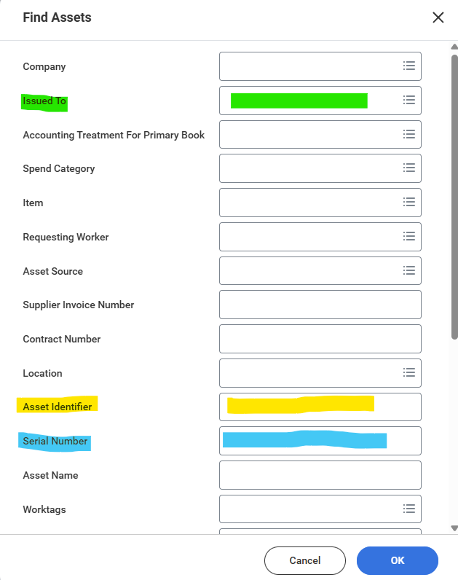
- In the pop-up, choose an option:
- Asset Identifier: An asset ID (UW tag #) is on most capital equipment
- Serial Number: Use if the asset ID is missing
- Issued To: Determine all capital equipment assigned to a UW employee
Image
Select "OK."
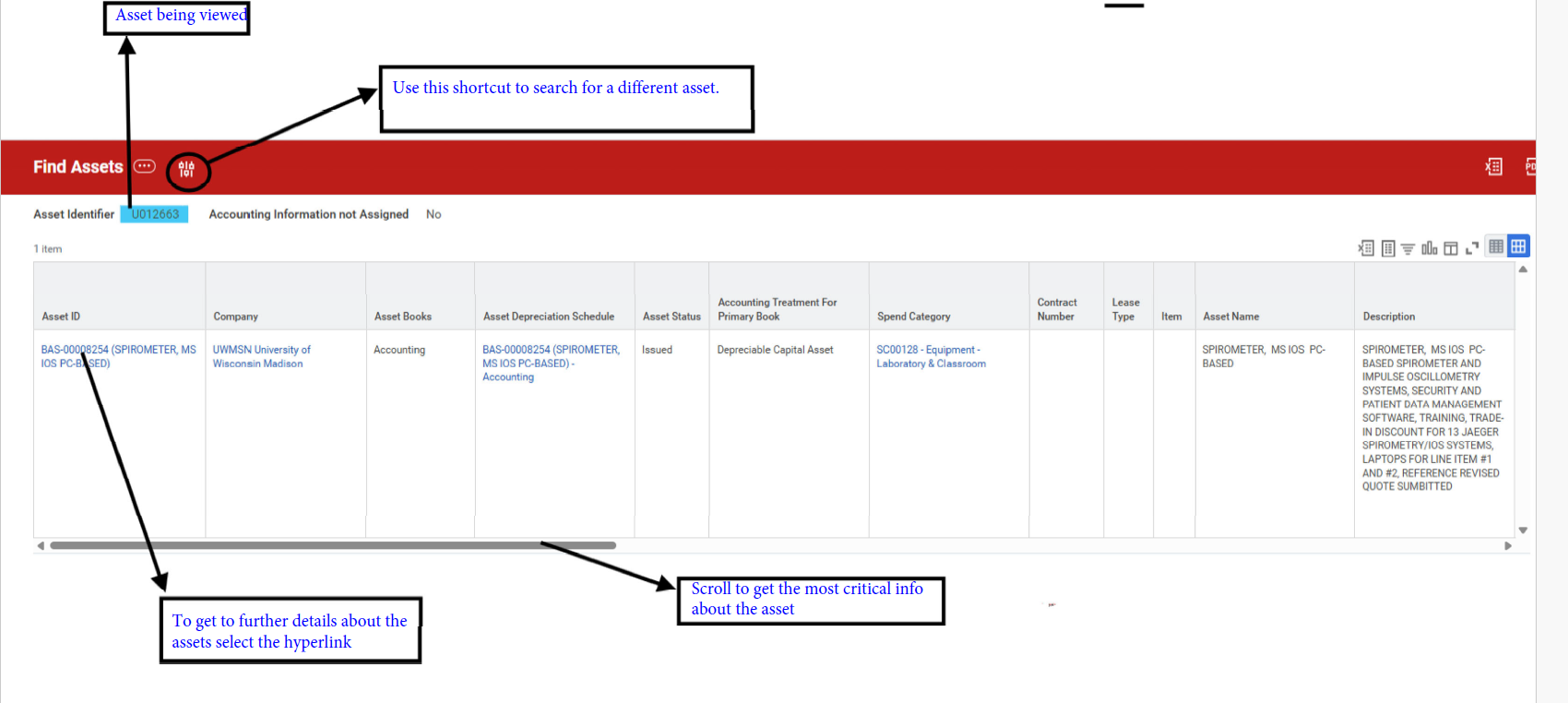
On the results screen, use the scroll at the bottom to see asset details, including person responsible, general description, date of purchase, and asset coordinator. Click image to enlarge.
Image
Option 2: Search by PI/Employee Profile
- Search for an employee in Workday.
- Click the employee link.
- Click "Company Property." Look under the "Business Assets" tab for a list of all assets assigned to the employee.